

Canva, WordPress or a static HTML site? The question usually arrives with an answer attached. A friend built theirs in Canva over a weekend and loves it, and the developer you spoke to builds everything on WordPress. Each of them is recommending the platform they work in.
I design on all three and set every site up in the client’s name, so I have no reason to steer you towards any of them. The choice depends on who will edit the site, what it costs to keep, what it has to do besides show your pages, and whose account it sits in.
How are Canva, WordPress and HTML different?
All three can produce the same first screen. They differ in what sits behind it, and that decides how the site is edited after launch and what it can grow into.
- Canva is the design tool your team may already use for social posts, with a website option added. You design the pages there, Canva hosts them, and a change goes live when you publish again.
- WordPress is software installed on hosting you rent. Your pages and posts sit in a database, and you edit them in the browser.
- Static HTML is a set of files written in code and served exactly as they are. There is no editor to log into and no platform to update, and every change is made in the code.
The design work is the same on all three, from the page plan to the way your photographs are directed. The table puts them side by side, and the sections below take each row in turn.
| Canva | WordPress | Static HTML | |
|---|---|---|---|
| Who edits it | Your team, in the Canva editor | You, in the browser: layouts with Elementor, or text and images with custom fields | Whoever writes the code |
| What it costs to keep | A paid Canva plan and the domain | Hosting, the domain, plugin licences and updates | Light hosting, the domain and paid time for each change |
| Shop, blog and booking | Linked from other services; no checkout or blog of its own | All can run inside the site, with WooCommerce and plugins | Linked from other services; each article is a new file |
| Speed | Set by Canva; you control the weight of the page | Fast with good hosting and caching | Fastest by nature |
| Upkeep | Light: Canva updates its own platform | The most: platform, builder and plugin updates, with a backup first | Light: no platform to update |
| Moving to another host | Rebuilt elsewhere | Moves with its files and database | Moves by copying the files |
| Suits | A team that already works in Canva | A site that grows, publishes or sells, edited by its owner | A site that rarely changes and has to load fast |
Who will edit the website after launch?
Start with this question, because it decides most of the rest. Think of the person who will change a rate or add a service next year, and ask what they already know how to use.
If your team already makes its posts and flyers in Canva, a Canva site is edited with the same tool, by the same people. They change the design and publish again. If you want to rearrange sections yourself, WordPress with Elementor gives you that freedom. If you only ever change words and photographs, WordPress with custom fields leaves the layout as designed while you do.
A static HTML site is edited in code, so changes usually go to whoever built it. That works well for a site that changes a few times a year. It becomes a queue when a figure on the page changes every month.
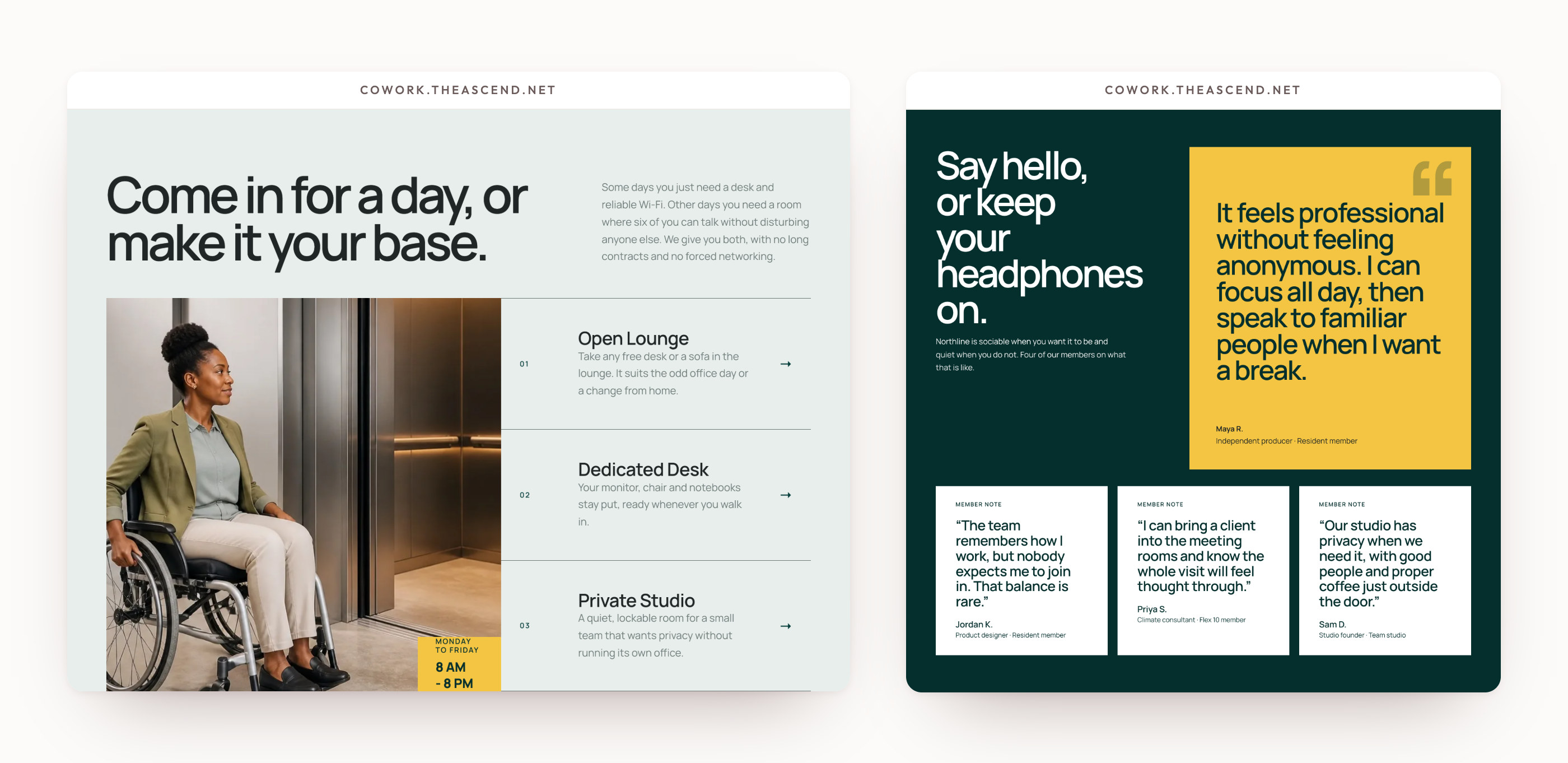
Northline Works, a coworking website I designed, shows memberships, room capacities and rates on the page, so a visitor can compare and book a visit without writing first. Whoever runs a page like that needs to update a rate the day it goes up. At handover I show you the everyday edits on your own site, and the settings to leave alone.
What does each platform cost to keep?
Look past the build to the costs that come back every month or every year.
- Canva: a paid Canva plan to publish on your own domain, and the domain itself. Canva hosts the site, so there is no hosting bill.
- WordPress: hosting, the domain, yearly licences for any paid plugins or page builder, and time for updates, yours or a care plan’s.
- Static HTML: hosting, which can be modest because the files are light, and the domain.
So the cheapest site to run depends on how often it changes. A static site that changes twice a year costs very little to keep. If it changes every month, each change is a developer’s time, and on Canva or WordPress your own team would make it.
Ask for the renewal figure as well as the first year. Hosting and domains are often cheaper in their first year, and the renewal is what you pay every year after. I show both before you agree.
Can it take bookings, sell or run a blog?
On launch day, a business website often needs a way to get in touch and little else. Every launch I build includes an enquiry form, tested with a real message before it goes live. The differences show when the site has to do more.
- A shop. WordPress can run a full shop with WooCommerce. Canva has no checkout of its own and neither does a static site, so both send the buyer to a payment page or a shop hosted elsewhere.
- A blog. WordPress began as a blogging platform, and its archive grows by itself as you publish. Canva has no blog of its own. On a static site each article is a new file added by whoever writes the code, which suits a handful of articles more than a weekly habit.
- Bookings. All three can link to a booking service such as Calendly. WordPress can also run the booking calendar inside the site, with a plugin.
Morrow & Vale, a law firm, runs to eighteen pages, with lawyer profiles and a set of dated briefings. A site of that size, with briefings to publish, needs a platform where the owner can add a page without calling a developer.
If you plan to publish, the blog foundation on my services page adds an archive, a post layout and a first post you supply. It comes with the five-page website or larger.
A website set up in a designer’s account belongs to that account, whatever the invoice says.
Which is fastest, and which needs the most upkeep?
A static HTML site is the fastest by nature. The files are served as they are, with no database to ask and nothing assembled on each visit, which is also why there is so little on it to break or attack.
WordPress builds each page from its database when a visitor arrives, unless a cache keeps a ready copy. With good hosting and caching it is fast, and that setup has to be done and then kept up. Canva serves its own sites, so the speed is in Canva’s hands. The part you control is the weight of what you put on the page.
Upkeep is where WordPress asks the most. The platform, the page builder and every plugin release updates, and each update should run with a backup taken first. That is most of what website maintenance covers. My Website Care, from $129 a month, is about thirty minutes a month on your site: updates with a backup first, a test message through your form, broken links fixed and a short note on what was done.
A Canva or static HTML site needs lighter care. Canva updates its own platform and a static site has none to update, so the checks come down to the domain renewal, the form and the links.

Whose account does the website live in?
Ask this before anything is built. A website set up in a designer’s account belongs to that account, whatever the invoice says, and moving it out later depends on the designer’s goodwill.
Every site I design is set up in your name, so the site is yours. On WordPress the hosting and the domain are registered to you. On static HTML the files are yours, and any host can serve them. On Canva the site sits in your own Canva account, or your team’s.
Moving later is where the platforms differ most. A static site moves to another host by copying its files. A WordPress site moves with its files and its database, and hosts often offer to move it for you. Canva doesn’t hand a site over as files another host can run, so leaving Canva means rebuilding the site elsewhere, with your copy and photographs carried across.
So which platform suits your business?
Begin with what the website has to do. If you haven’t decided that yet, start with what your website should do, because the job usually points to the platform. Then match the platform to the way you work:
- Canva, if your team already designs in Canva, the site is a few pages or a single scrolling page, and nothing is sold on it.
- WordPress with Elementor, if you want to rearrange sections yourself, publish articles, or add a shop or bookings later.
- WordPress with custom fields, if you change words and photographs often and want the layout left as designed.
- Static HTML, if the site rarely changes, has to load fast, and you’d prefer to have no platform to update.
Size points the same way. A one-page website sits well on any of the three. A site with many pages, or a business that publishes every week, is easier to run on WordPress.
We decide it together in the brief, before anything is designed.
Questions people ask about Canva, WordPress and HTML
Is Canva good enough for a business website?
For a small site that changes often and sells nothing on the page, yes. It is a poor fit when you need a shop or a growing blog, or may want to move to another host later.
Is WordPress better than Canva for SEO?
WordPress gives you more control, such as redirects when a page address changes and plugins for the details search engines read. Canva covers page titles and descriptions, and every launch I build has those written for each page.
Is a static HTML website better than WordPress?
It is faster and needs less upkeep, and it is harder to edit yourself. For a site that rarely changes it is often the better choice. For a site you update every week, WordPress is.
Can I move my Canva website to WordPress later?
The domain can move with you. The site itself is rebuilt on WordPress, so treat the move as a new build, with the copy and images you already have.
Do I need hosting for a Canva website?
No, Canva hosts it. You need a paid Canva plan to publish on your own domain, and the domain renews every year.